
The latest changes to IncidentCheck include 2 main changes to how groups are handled in the system.
1. Better Group Level Statistics
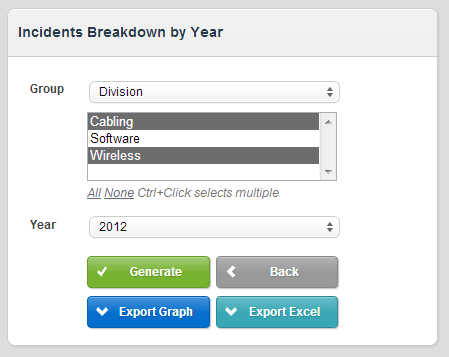
Statistics now have a way to break them down by the Groups that are set up in the system. In our use at 3CIS, we have Wireless, Cabling, and Software Divisions in the company. You can now choose the ones you would like to see and export the graph or data to provide comprehensive, side-by-side comparisons of the performance of each division.
2. Multi-Groups per User
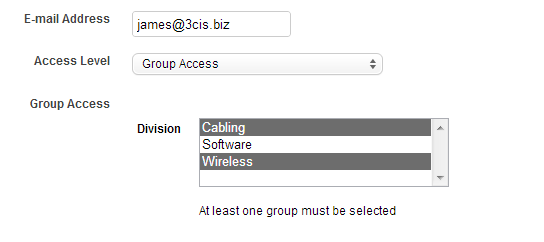
Additionally, we added the ability to have users be part of more than one group under a given label. Again, in our case this means that a user from 3CIS can be part of the Cabling Division, the Wireless, or the Software division, or any combination of the 3. Previously we limited this to only 1 choice but the newest change reflects the reality at many of our customers’ companies – people are often part of more than one division or other group.
To do this, you set up a User Account for Group Access as per usual, but instead of a drop-down to choose the group, we have a combo box where you can Control-Click to select multiple items, as in the screenshot below: